
Exclusive Feature: RVT File Support in CADMATE 2026
- Direct RVT Import: Open Revit (.RVT) files natively in CADMATE without needing Revit installed.
- Seamless Conversion: Convert RVT files into fully editable DWG drawings.
- Cross-Platform Collaboration: Architects and engineers can share BIM models (Revit) with CAD drafters using CADMATE.
- Time & Cost Saving: No need to purchase additional Revit licenses just to view/convert RVT files.
Why Choose CADMATE 2026 Over AutoCAD?”
CADMATE 2026 isn’t just an alternative — it’s a next-gen CAD platform built for engineers, architects, and designers who want powerful features at a fraction of the cost.
- Direct RVT File Support (No Revit needed ✅)
- 80% Cost Savings vs AutoCAD subscription
- Faster, Lightweight, and Smarter AI Tools
- Perpetual Licensing — Own it forever!
Seamless BIM Integration
- Open & collaborate with IFC files for smooth data exchange with Revit, ArchiCAD, and other BIM platforms.
- Combine RVT + IFC support in CADMATE 2026 to ensure you never miss a project file, no matter the source.
- Perfect for AEC firms working across multiple software ecosystems.
CADMATE 2026 vs AutoCAD – Key Feature Comparison
Feature | CADMATE 2026 | AutoCAD |
License Model | Perpetual + Subscription (flexible, cost-effective) | Subscription-only (annual/monthly, higher cost) |
File Compatibility | Native DWG/DXF full support | Native DWG/DXF full support |
RVT File Support (Revit) | ✅ Can directly open & reference RVT files | ❌ Not supported natively |
IFC File Support (BIM) | ✅ Full IFC import/export support for BIM workflows | ❌ No native support (requires Revit/plug-ins) |
AI-Powered Commands | ✅ Smart drawing search, voice command, and AI-assisted drafting | Limited AI tools (basic automation) |
3D Modeling & Visualization | ✅ Advanced 3D modeling, rendering, visualization included | ✅ Strong 3D features but with higher system requirements |
User Experience | Familiar AutoCAD-like UI for easy migration | Standard AutoCAD UI |
Collaboration Tools | ✅ Cloud collaboration, multi-user workflows, global license use | ✅ Collaboration via Autodesk Cloud (extra cost) |
Price Advantage | 💰 ~40–60% more cost-effective | 💸 High subscription cost |
🌐 CADMATE
Next-Generation CAD Solution – Made in India
CADMATE is a powerful, fast, and affordable CAD platform proudly Made in India for the global design community. Built on the latest DWG technology, CADMATE ensures maximum compatibility with industry standards while offering advanced features for architects, engineers, and design professionals. With support for DWG, RVT, and IFC formats, it provides unmatched flexibility, enabling you to collaborate across platforms with ease.
From 2D drafting to 3D modeling, CADMATE delivers speed, precision, and efficiency for every project. Whether in mechanical, civil, architectural, or electrical design, CADMATE equips you to design smarter, faster, and better.
📊 CADMATE Takeoff
Smart Quantity Measurement – Made in India
CADMATE Takeoff is an intelligent extension of CADMATE, designed and Made in India to simplify quantity estimation. It automates the process of generating accurate takeoffs directly from your CAD drawings, saving time, reducing errors, and ensuring precise project costs.
With features like automatic area detection, quantity extraction, and Excel integration, CADMATE Takeoff empowers engineers, contractors, and project managers to produce reliable cost reports in just a few clicks.

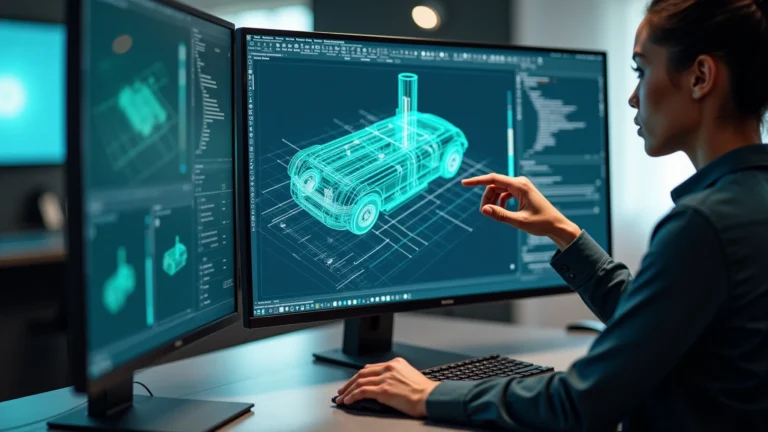
CADMATE Mechanical – Professional CAD, Made in India
Full Description:
CADMATE Mechanical is a powerful CAD platform specifically crafted for manufacturing and mechanical engineering workflows. Proudly Made in India, it empowers professionals to create, modify, and perfect geometry with unmatched ease and efficiency. Designed to reduce learning curves and eliminate technical friction, CADMATE Mechanical makes 3D modeling rapid, intuitive, and enjoyable—whether you’re working on assemblies, components, or mechanical layouts.
Built on the latest DWG foundation, it offers advanced tools like dynamic blocks, non-parametric modeling, and robust Boolean operations, making it perfect for mechanical parts design and detailing.
Key strengths include:
- Intuitive geometry creation and editing
- Smooth DWG interoperability with existing CAD ecosystems
- Tailored for mechanical workflows—streamlined 3D operations and manufacturing-ready tools
· Key Highlights
- Full DWG compatibility ensuring seamless collaboration.
- Automated design features such as Auto Layer, Auto Dimensioning, and Balloon/Parts List.
- Mechanical symbol libraries with over 100,000 standard parts.
- Support for advanced drafting: Shaft, Gear, Spring, Chain, and Bearing generators.
- Smart drawing environment with associative dimensions and parametric constraints.
- Made in India – optimized for global design standards.
Why Choose CADMATE Mechanical?
- Precision Meets Productivity
CADMATE Mechanical combines powerful drafting and mechanical design tools—like dynamic blocks, automatic scaling, and precision constraints—with smart automation features (Area Table, Auto Layer, Viewport-to-Layout). This eradicates tedious manual tasks, allowing engineers to stay focused on creative design.
- Globally Compliant, Locally Crafted
Built right here in India, CADMATE Mechanical is tailored to global industry standards. Whether you’re working with ISO, ANSI, DIN, JIS, or local GB specifications, you’ll find all your standard parts (100,000+ in-built symbols), BOM, and automated parts lists in one tool.
- Affordable, Flexible Licensing
Why pay more? CADMATE Mechanical offers a cost-effective perpetual license, saving you up to 80% of the lifetime cost—no ongoing subscription fees. It’s the smart solution for organizations that value long-term ROI.
- Familiar Interface, Instant Onboarding
With an interface designed to mirror AutoCAD, switching to CADMATE Mechanical is seamless. You’ll enjoy modern performance through hardware acceleration, with no steep learning curve for your drafting team.